App for the OpenR Link screen in electric and hybrid Renault and Alpine cars
The car does
the measuring.
Sparks will install on your car’s screen as soon as Google approves it. On every trip, it logs the route, the energy used and the outside temperature, and it all lands on your phone. Trips measured, not pieced together.
Free · No account or password in the car · Works with the Sparks app on your phone
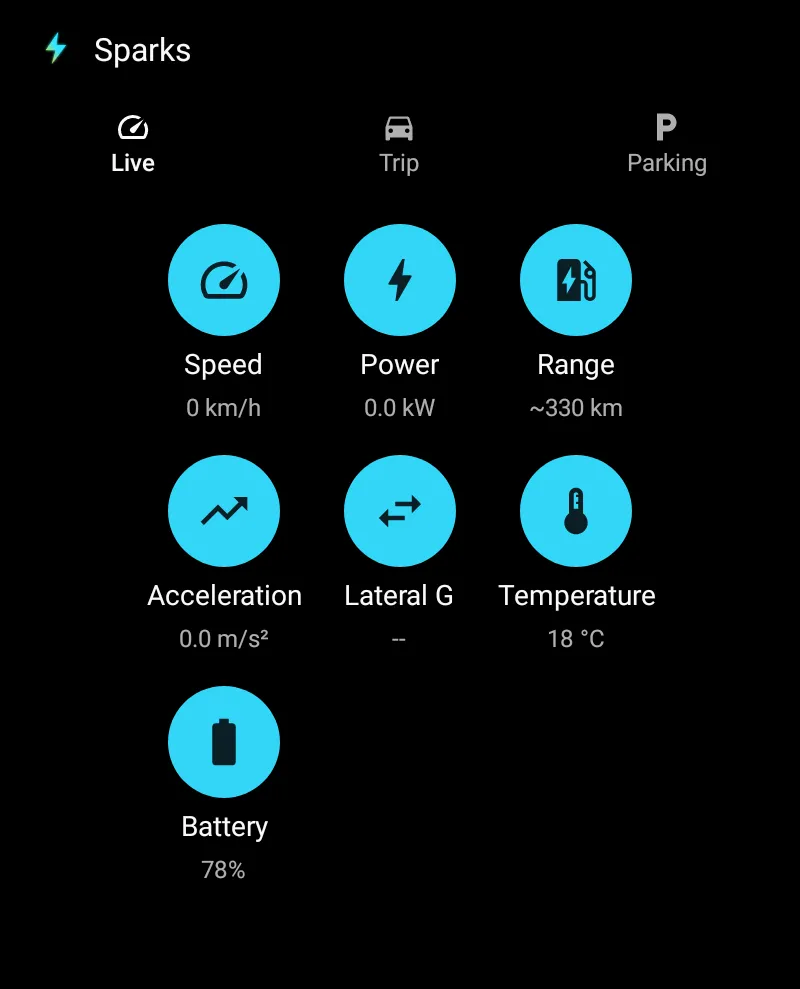
Measured, not guessed
The difference, line by line.
Without the car app, Sparks works out your trips from two readings sent by Renault. With it, the car records them itself.
| Data | Mobile app only | With the car app |
|---|---|---|
| Distance | Odometer difference between two readings | GPS, one position per second |
| Battery | Whole percentage, read every 4 to 25 minutes | Energy in Wh, one reading per second |
| Consumption | Often “—”: it needs at least 2 points of difference | Calculated from the energy measured |
| Route | Start and finish | The whole trip, on a map |
| Temperature | — | Outside temperature during the trip |
| Speed | Door-to-door average | Speed profile and time stopped |
Getting started
Do it once. Done.
- 01
Sparks in the car
Right on the OpenR Link screen, from Google Play, as soon as Google approves it.
- 02
Scan the QR code
In the Sparks app on your phone, Trips tab. You confirm the car: nothing links up on its own.
- 03
Drive
At the end of each trip, it heads to your phone. No signal? It waits until the connection comes back.
The Sparks screen is for when you’re parked, as Google’s rules for car apps require. Recording carries on in the background.
On the screen
What the car knows, right now.
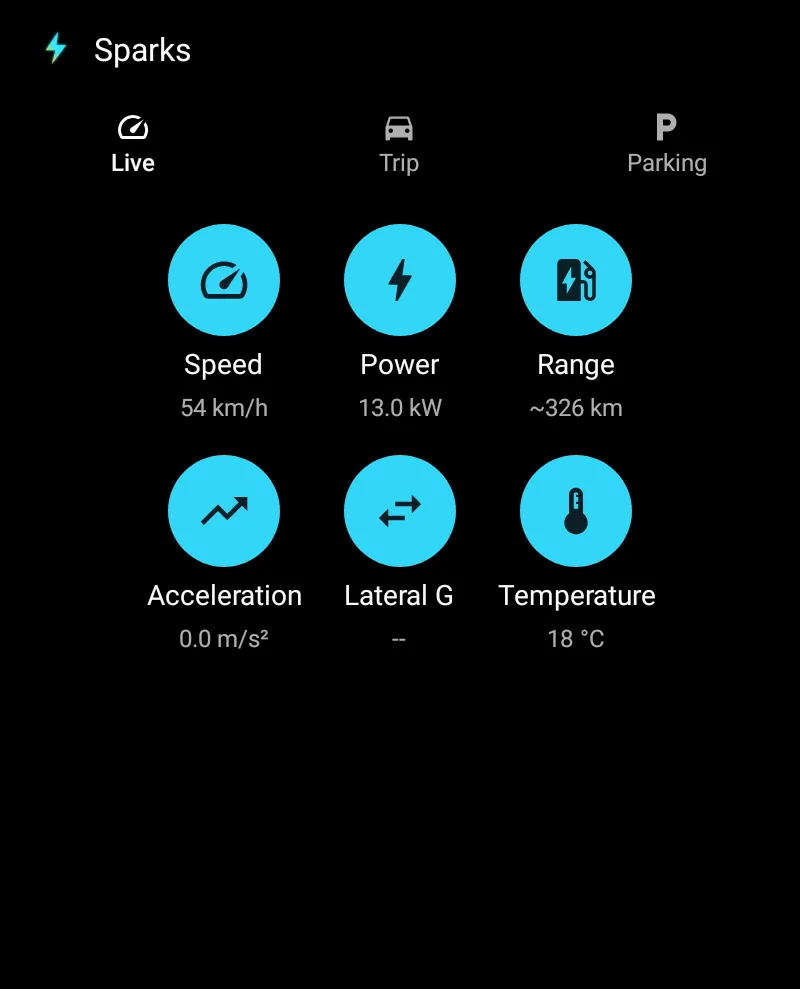
Parked or charging, the Live tab shows what the car is measuring at that moment. Your last 20 trips and 50 charges stay viewable in the car.
- Wh · %Battery
- kWPower
- mphSpeed
- °COutside temperature
- psiTyres
- gCornering
The readings available depend on what the car’s system allows.
On your phone
Your trips, in your pocket.
The Trips tab of the mobile app, in testing on iPhone and Android, gets everything the car measured.
- The route on a map, plus the weather and cost of each trip.
- Your own tags, and trips split by a break joined into one journey.
- Your real consumption by temperature and by average speed.
- Your latest trip as a widget, and CSV export.
Screens shown in French: the iPhone app is in French only.
Discover the mobile app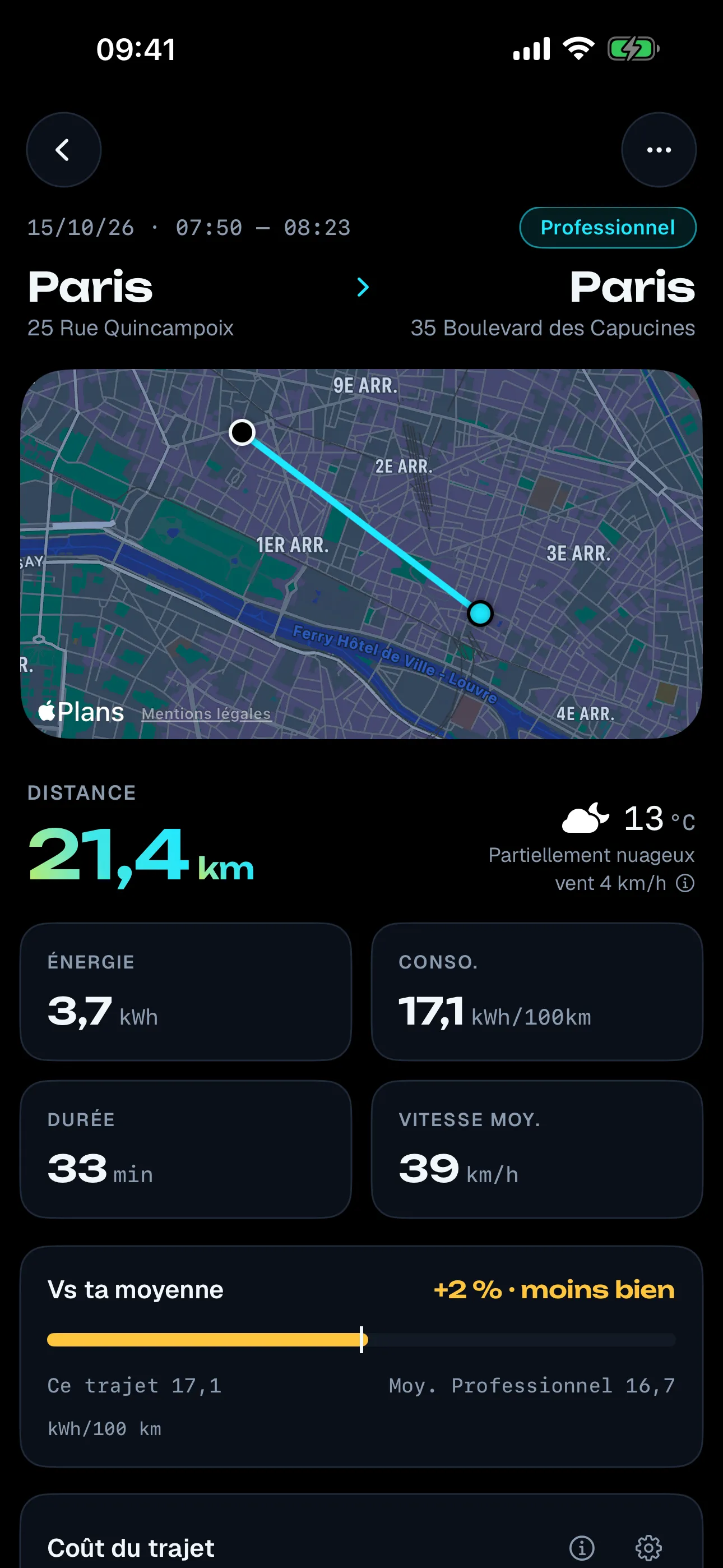
Privacy
You stay in control.
- Nothing is recorded until the screen is linked to your account.
- Only the car profile where the screen was linked records.
- A switch in the car, “Automatic trip tracking”, stops recording.
- A “Sparks is active” notification stays on screen while it records.
- No account or password in the car: a QR code is all it takes.
- Selling the car? Unpair and erase the car’s data first.
If you lend your car, the driver’s trips land on your account, locations included. Tell them, ask them to switch to another car profile, or turn recording off. Read the privacy policy
FAQ
All about the car app.
Do I need the app on my phone too?
Yes. Your phone links the screen to your account by scanning the QR code, and it’s where you read your trips. The mobile app is in testing on iPhone and Android.
Which cars does it work with?
Cars with the OpenR Link screen and Google built-in, which gives access to Google Play. The app has been tested on the Mégane E-Tech. Trouble with yours? Let us know. See compatible cars.
Can I use it while driving?
The Sparks screen is for when you’re parked, as Google’s rules for car apps require. Trip recording keeps going in the background while you drive.
What if there’s no signal?
Trips stay in the car and go as soon as the connection is back. Once the server has them, they’re deleted from the car.
How long are my trips kept?
24 months on the server. The raw files sent by the car are kept for 90 days, then only the calculated trips remain.
Is the car app free?
Yes, just like the mobile app: free, no ads, no data sold.
Let the car take the notes.
Free. On the OpenR Link screen as soon as Google approves it, with the Sparks app in testing on your iPhone or Android.